By the end of this guide, you’ll have a working monorepo where a single set of React components renders on web, iOS, and Android:
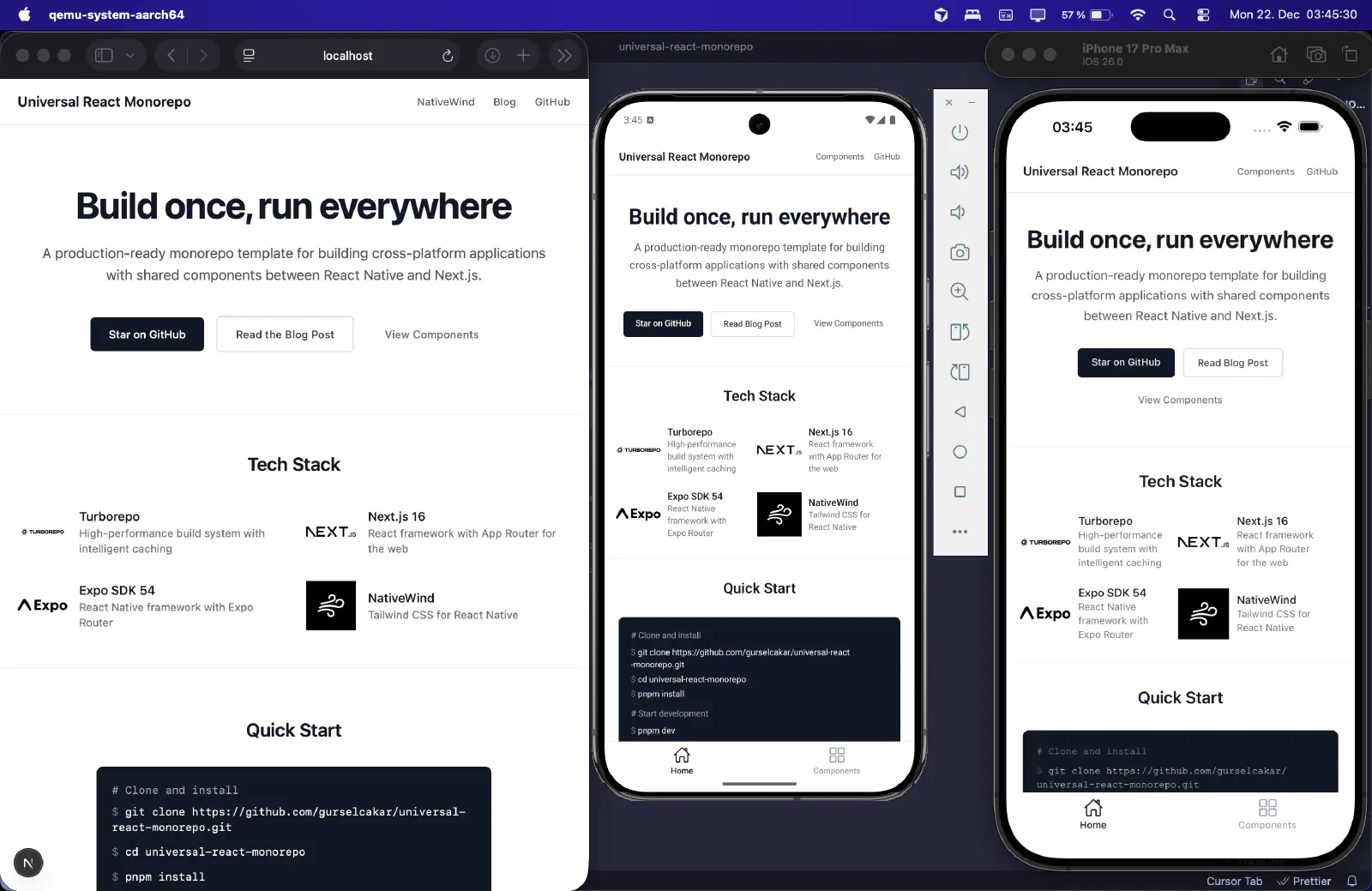
We’ll use Next.js and Expo for the apps, NativeWind for cross-platform styling, and Turborepo for builds and caching. The template also includes a Vite + TanStack Router web app as a lighter alternative to Next.js. Familiarity with React, Next.js basics, and the terminal is assumed.
Rather just clone and go? Grab the universal-react-monorepo template.
Prerequisites
- Node.js 18+, pnpm 10+
- For mobile: iOS Simulator (macOS only) and/or Android Studio
- Optional: Turbo CLI, GitHub CLI
Initialise the repository
Create a new project and set up git:
1mkdir mammoth && cd mammoth
2git init
3echo "# mammoth" > README.md
4git add README.md && git commit -m "Initial commit"
If you use GitHub CLI:
1gh repo create mammoth --public --source=. --remote=origin --push
Initialise the workspace with pnpm:
1pnpm init
Define the workspace
Create pnpm-workspace.yaml to tell pnpm which folders contain apps and packages:
1packages:
2  - "apps/*"
3  - "packages/*"
Create the folders:
1mkdir -p apps packages
Add a .gitignore:
1node_modules
Add Turborepo
Install Turborepo as a dev dependency:
1# terminal (repo root)
2pnpm add turbo --save-dev --workspace-root
Create turbo.json at the root:
 1// turbo.json (repo root)
 2{
 3	"$schema": "https://turborepo.com/schema.json",
 4	"ui": "tui",
 5	"tasks": {
 6		"build": {
 7			"dependsOn": ["^build"],
 8			"inputs": ["$TURBO_DEFAULTS$", ".env*"],
 9			"outputs": [".next/**", "!.next/cache/**", "dist/**"]
10		},
11		"typecheck": {
12			"dependsOn": ["^typecheck"]
13		},
14		"lint": {
15			"dependsOn": ["^lint"]
16		},
17		"dev": {
18			"persistent": true,
19			"cache": false
20		}
21	}
22}
Every script in an app or package that should run across the monorepo must be declared here. The tui view splits logs per task, which becomes useful once multiple apps are running.
Update .gitignore:
1node_modules
2.turbo
For a deeper understanding, read through the Turborepo documentation. There’s also an excellent walkthrough by Michael Guay covering Turborepo with pnpm workspaces.
Add the Next.js app
Create the web app inside apps/:
1# terminal (repo root)
2cd apps
3npx create-next-app@latest web --use-pnpm
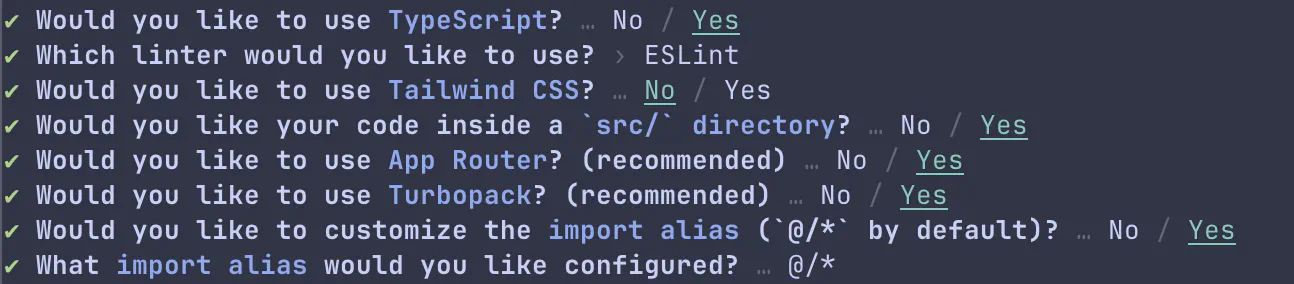
Select the following options:
Wire scripts to Turborepo
Add root scripts so Turborepo orchestrates tasks across all apps and packages:
1// package.json (repo root)
2{
3	"scripts": {
4		"dev": "turbo dev",
5		"build": "turbo build",
6		"lint": "turbo lint",
7		"typecheck": "turbo typecheck"
8	}
9}
Update the web app scripts. The --webpack flag is needed because react-native-web isn’t compatible with Turbopack:
 1// package.json (apps/web)
 2{
 3	"scripts": {
 4		"dev": "next dev --webpack",
 5		"build": "next build --webpack",
 6		"start": "next start --webpack",
 7		"lint": "eslint",
 8		"typecheck": "tsc --noEmit"
 9	}
10}
Run pnpm install after editing scripts or dependencies to sync the lockfile.
Native builds approval
You might encounter this approve-builds warning:

This is pnpm’s safeguard for building native binaries. Run:
1# terminal (repo root)
2pnpm approve-builds
This records approved packages in pnpm-workspace.yaml:
1# pnpm-workspace.yaml (repo root)
2packages:
3  - apps/*
4  - packages/*
5
6onlyBuiltDependencies:
7  - sharp
8  - unrs-resolver
First build and caching
Run a full build:
1# terminal (repo root)
2turbo build
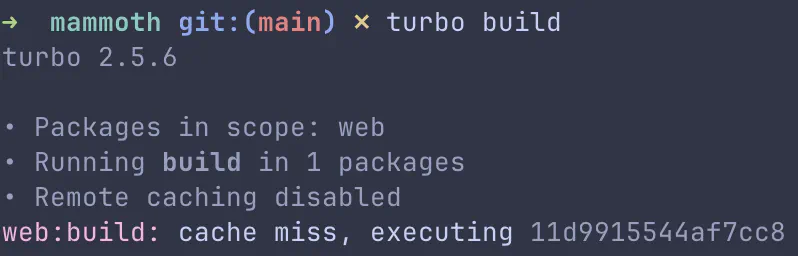
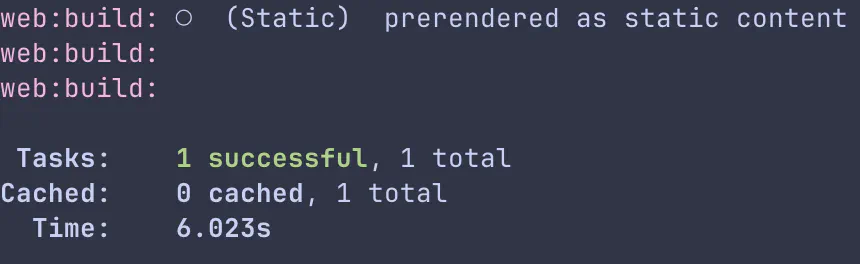
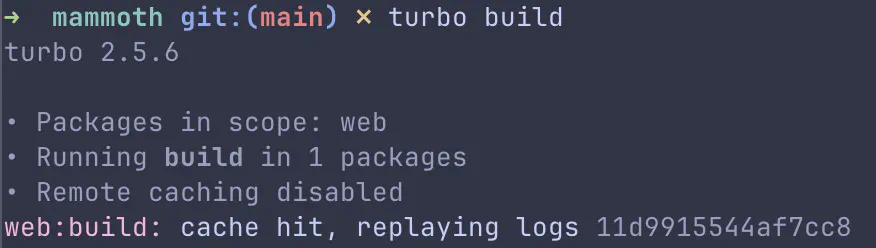
The first run is a cache miss:
Run it again:
1# terminal (repo root)
2turbo build
Cache hit:
The cached build replays in 83ms:
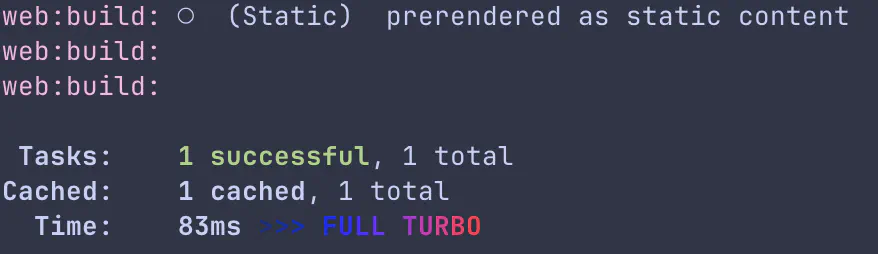
Turborepo hashes inputs and replays outputs on cache hits. You can enable Remote Caching to share artifacts across machines.
Add the Expo app
Inside apps/, create the mobile app:
1# terminal (repo root)
2cd apps
3npx create-expo-app@latest mobile
Expo defaults to npm. Switch to pnpm:
1# terminal (apps/mobile)
2cd mobile
3rm package-lock.json
4pnpm install
Reset the project configuration:
1# terminal (apps/mobile)
2pnpm run reset-project
Update package.json:
 1// package.json (apps/mobile)
 2{
 3	"scripts": {
 4		"dev": "expo start",
 5		"android": "expo start --android",
 6		"ios": "expo start --ios",
 7		"web": "expo start --web",
 8		"lint": "expo lint",
 9		"typecheck": "tsc --noEmit"
10	}
11}
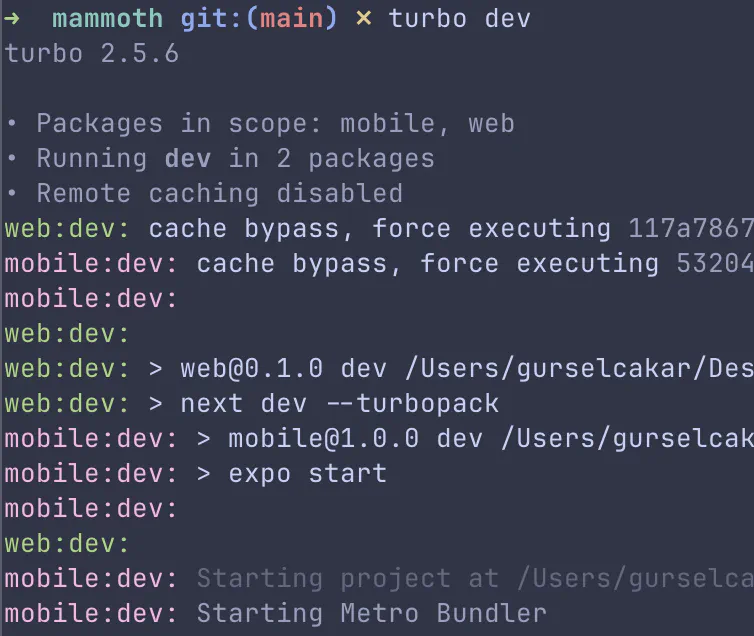
Run pnpm install, then turbo dev from the repo root to start both apps.
Turborepo TUI
With two apps running, logs from web and mobile overlap:
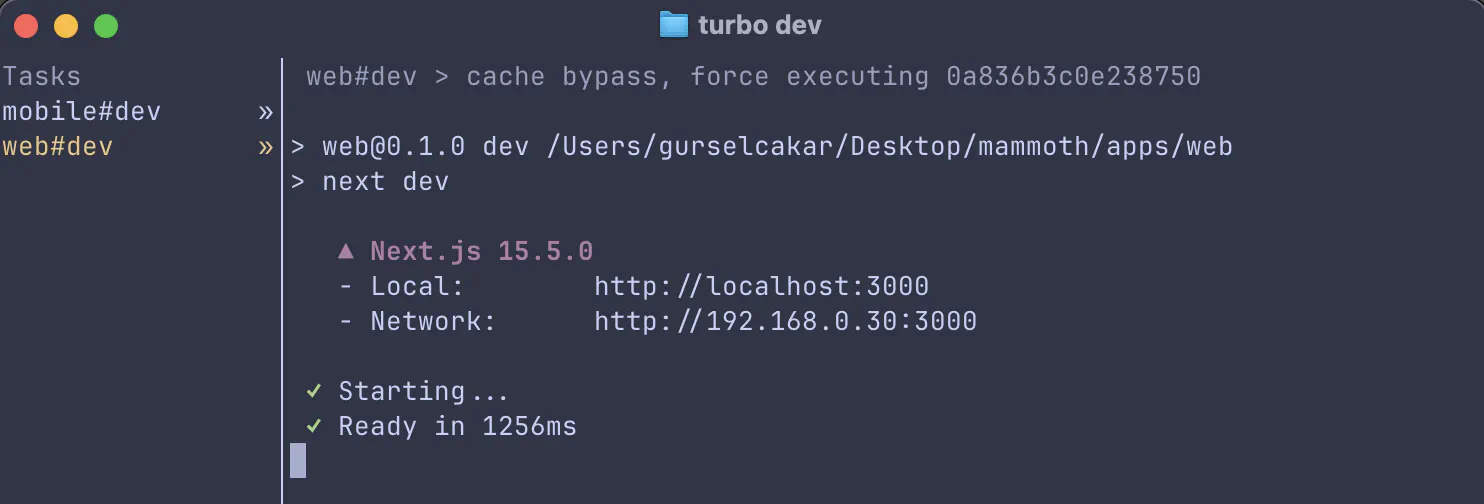
The TUI (enabled in turbo.json) separates logs by task. Mobile logs:
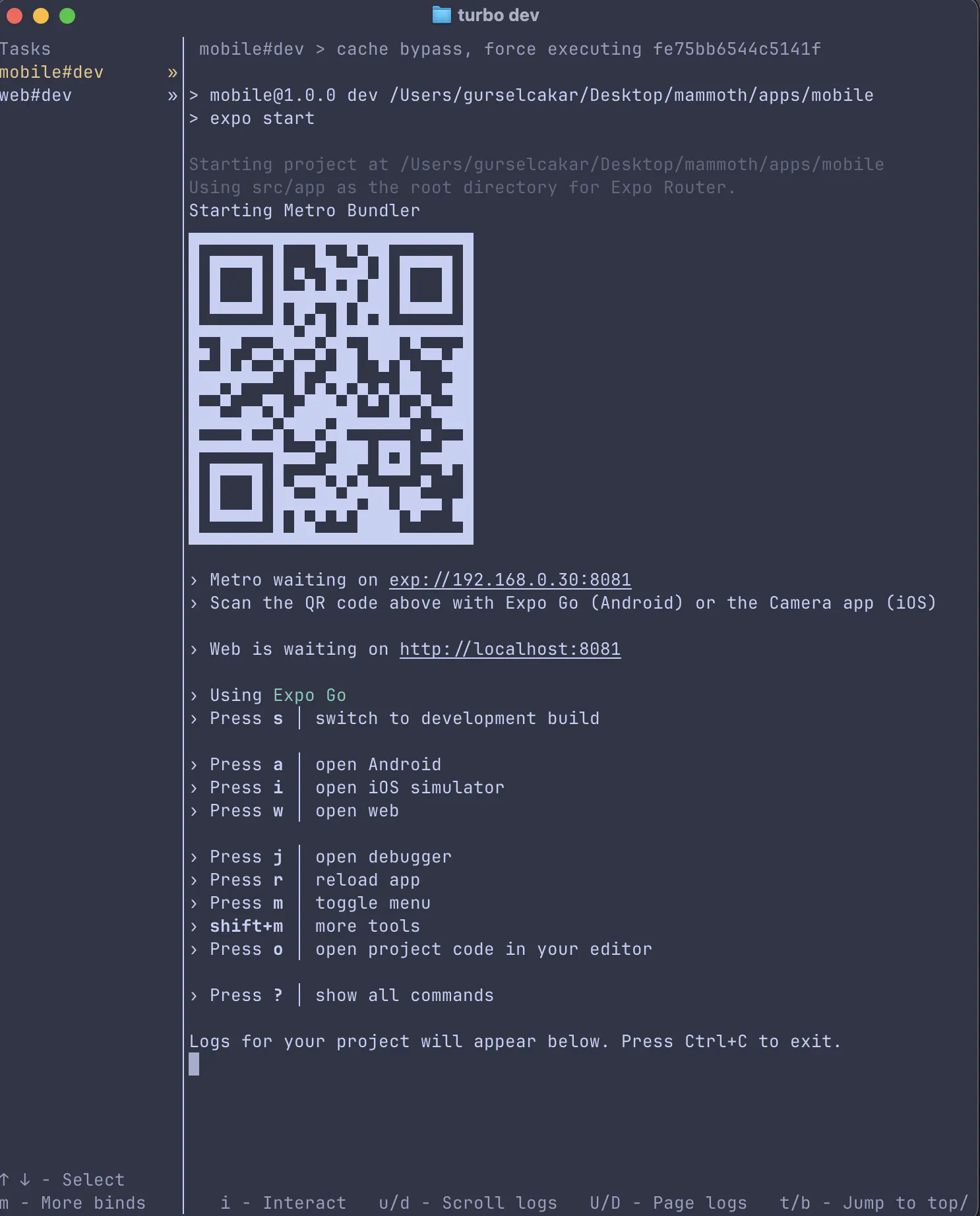
Press the down arrow to switch to web:
Install NativeWind in Expo
NativeWind enables Tailwind CSS styling in React Native. Follow the official installation guide for the most up-to-date instructions.
Install the required packages:
1# terminal (apps/mobile)
2pnpm install nativewind react-native-reanimated@~4.1.2 react-native-safe-area-context@5.6.1
3pnpm install -D tailwindcss@^3.4.18 prettier-plugin-tailwindcss@^0.5.14
Initialise Tailwind:
1# terminal (apps/mobile)
2pnpm tailwindcss init
Configure Tailwind:
 1// tailwind.config.js (apps/mobile)
 2/** @type {import('tailwindcss').Config} */
 3module.exports = {
 4  content: [["./src/**/*.{js,jsx,ts,tsx}"]],
 5  presets: [require("nativewind/preset")],
 6  theme: {
 7    extend: {},
 8  },
 9  plugins: [],
10}
Create global styles:
1/* global.css (apps/mobile) */
2@tailwind base;
3@tailwind components;
4@tailwind utilities;
Configure Babel:
 1// babel.config.js (apps/mobile)
 2module.exports = function (api) {
 3  api.cache(true);
 4  return {
 5    presets: [
 6      ["babel-preset-expo", { jsxImportSource: "nativewind" }],
 7      "nativewind/babel",
 8    ],
 9  };
10};
Configure Metro:
1// metro.config.js (apps/mobile)
2const { getDefaultConfig } = require("expo/metro-config");
3const { withNativeWind } = require('nativewind/metro');
4
5const config = getDefaultConfig(__dirname)
6
7module.exports = withNativeWind(config, { input: './global.css' })
Add type support:
1// nativewind-env.d.ts (apps/mobile)
2/// <reference types="nativewind/types" />
Include it in tsconfig.json:
 1// tsconfig.json (apps/mobile)
 2{
 3  "include": [
 4    "**/*.ts",
 5    "**/*.tsx",
 6    ".expo/types/**/*.ts",
 7    "expo-env.d.ts",
 8    "nativewind-env.d.ts"
 9  ]
10}
Import the global CSS in your root layout:
1// _layout.tsx (apps/mobile/src/app)
2import { Stack } from "expo-router";
3import "../../global.css";
4
5export default function RootLayout() {
6	return <Stack />;
7}
Update index.tsx:
 1// index.tsx (apps/mobile/src/app)
 2import { Text, View } from "react-native";
 3
 4export default function Index() {
 5	return (
 6		<View className="flex-1 items-center justify-center bg-white">
 7			<Text className="text-4xl font-bold">Hello World</Text>
 8		</View>
 9	);
10}
Metro resolution fix
Running turbo dev may produce a Metro resolution error:

Metro expects a flat node_modules tree. Create .npmrc at the repo root and reinstall:
1# terminal (repo root)
2printf "node-linker=hoisted\n" > .npmrc
3rm -rf node_modules apps/**/node_modules
4pnpm install
5pnpm dev --reset-cache
node-linker=hoisted reduces symlink complexity so Metro resolves packages cleanly. Credit to this GitHub issue for the fix.
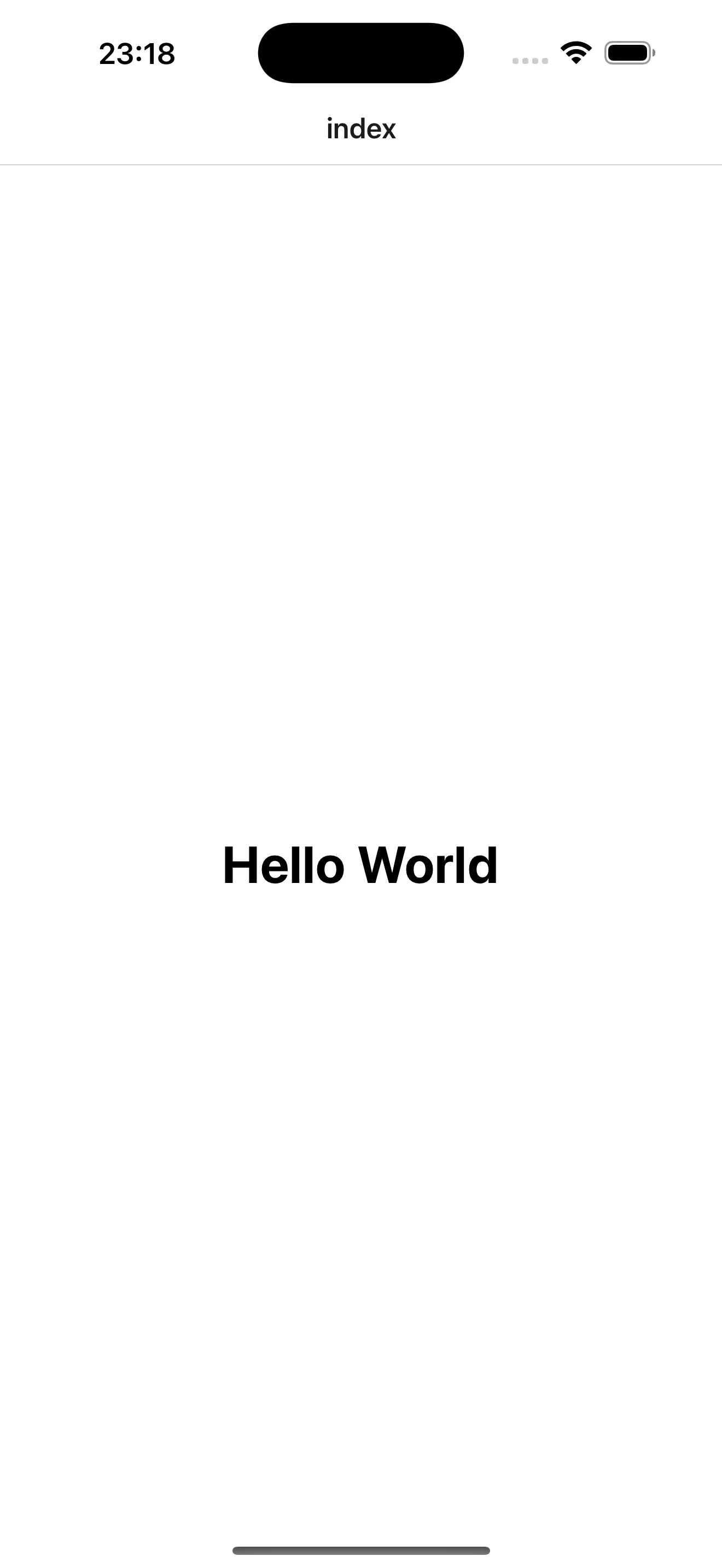
The mobile app now runs:
Align React versions
Pin React and React Native versions at the root to prevent duplicate copies and peer conflicts:
 1// package.json (repo root)
 2{
 3  "pnpm": {
 4    "overrides": {
 5      "react": "19.1.0",
 6      "react-dom": "19.1.0",
 7      "react-native": "0.81.5",
 8      "react-native-web": "0.21.1",
 9      "tailwindcss": "3.4.18"
10    }
11  }
12}
Ensure apps/web/package.json uses the same react and react-dom versions, then run pnpm install.
Set up Tailwind and NativeWind in Next.js
Install all dependencies:
1# terminal (apps/web)
2pnpm add react-native-web nativewind
3pnpm add -D tailwindcss@^3 postcss autoprefixer
4npx tailwindcss init -p
NativeWind requires Tailwind v3. If
create-next-appinstalled v4, pin to^3explicitly.
Configure Tailwind with the NativeWind preset:
 1// tailwind.config.js (apps/web)
 2/** @type {import('tailwindcss').Config} */
 3import nativewindPreset from "nativewind/preset";
 4
 5module.exports = {
 6  content: ["./src/**/*.{js,jsx,ts,tsx}"],
 7  presets: [nativewindPreset],
 8  theme: {
 9    extend: {},
10  },
11  plugins: [],
12}
Configure PostCSS:
1// postcss.config.js (apps/web)
2module.exports = {
3	plugins: {
4		tailwindcss: {},
5		autoprefixer: {},
6	},
7}
Add global styles:
1/* global.css (apps/web/src/app) */
2@tailwind base;
3@tailwind components;
4@tailwind utilities;
Configure Next.js to resolve react-native to react-native-web and transpile NativeWind:
 1// next.config.ts (apps/web)
 2import type { NextConfig } from 'next'
 3
 4const nextConfig: NextConfig = {
 5	transpilePackages: [
 6		'react-native',
 7		'react-native-web',
 8		'nativewind',
 9		'react-native-css-interop',
10	],
11	webpack: (config) => {
12		config.resolve.alias = {
13			...(config.resolve.alias || {}),
14			'react-native$': 'react-native-web',
15		};
16		config.resolve.extensions = [
17			'.web.ts',
18			'.web.tsx',
19			'.web.js',
20			...config.resolve.extensions,
21		];
22		return config;
23	}
24}
25
26export default nextConfig
Enable NativeWind types in tsconfig.json:
1// tsconfig.json (apps/web)
2{
3  "compilerOptions": {
4    "jsxImportSource": "nativewind",
5    "types": ["nativewind/types"]
6  }
7}
Remove page.module.css and update page.tsx:
1// page.tsx (apps/web/src/app)
2export default function Home() {
3	return (
4		<div className="flex flex-col items-center justify-center h-screen">
5			<h1 className="text-4xl font-bold">Hello World</h1>
6		</div>
7	);
8}
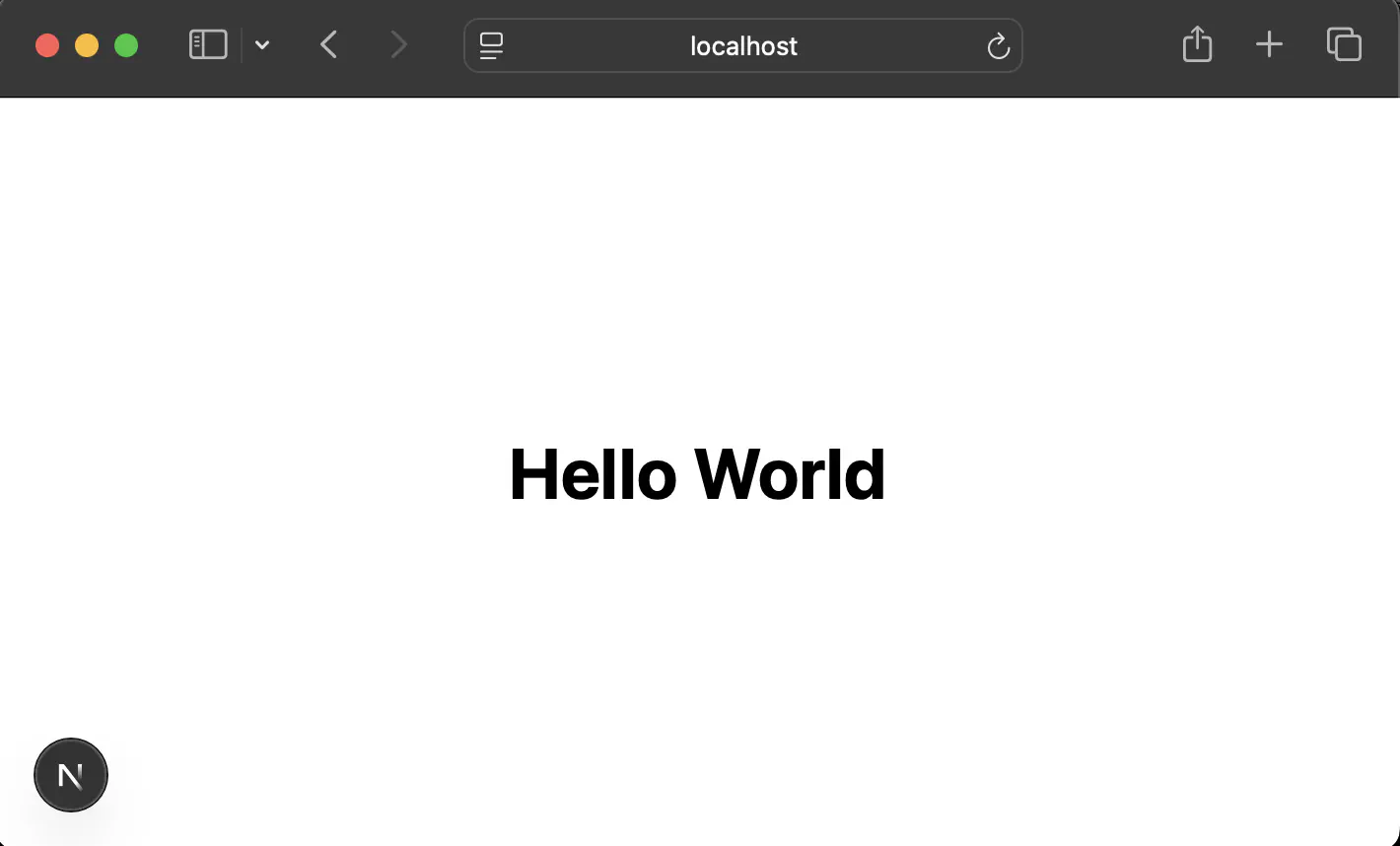
Result:
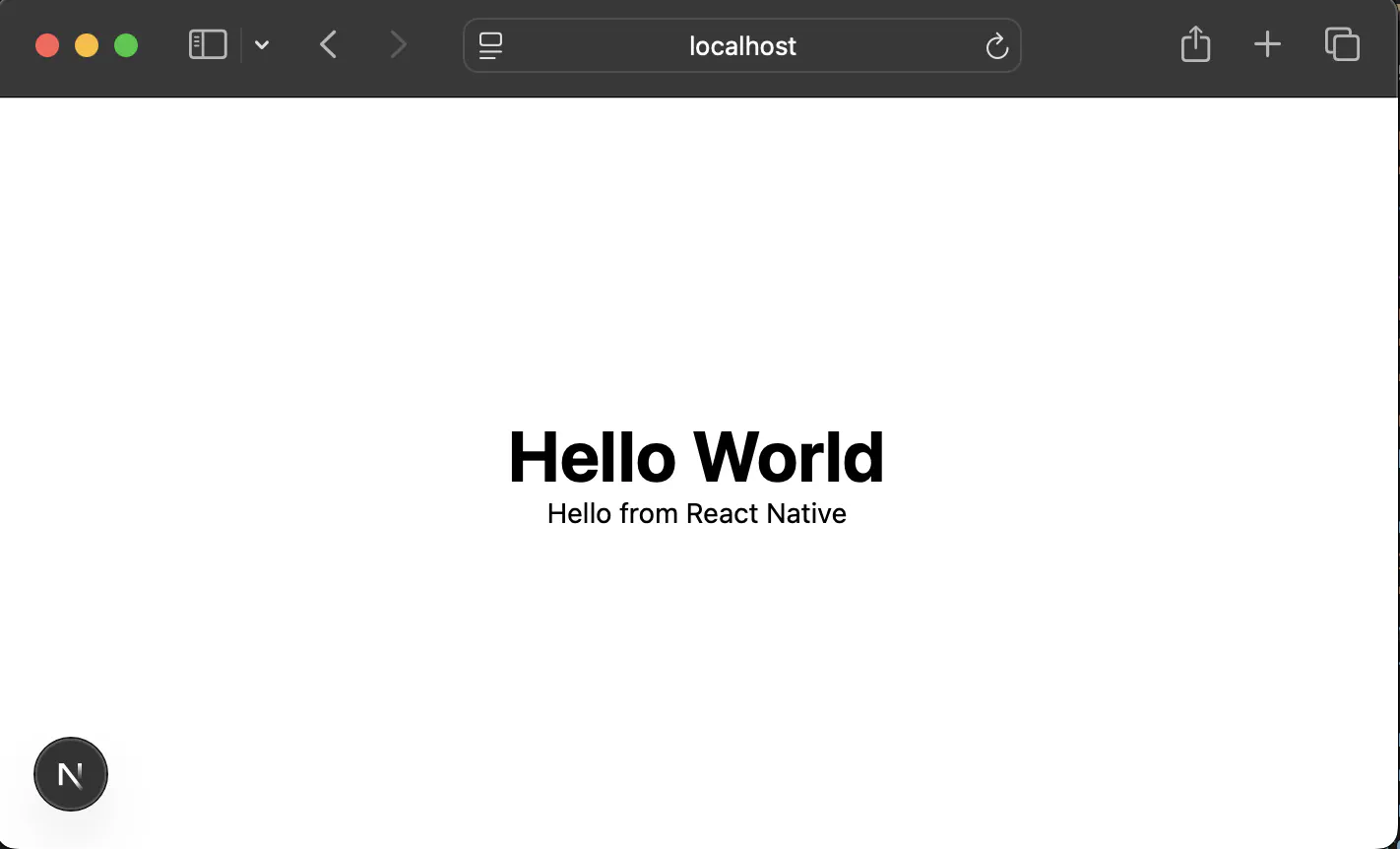
Verify React Native components render through react-native-web:
 1// page.tsx (apps/web/src/app)
 2import { View, Text } from "react-native";
 3
 4export default function Home() {
 5	return (
 6		<div className="flex flex-col items-center justify-center h-screen">
 7			<h1 className="text-4xl font-bold">Hello World</h1>
 8			<View className="flex-1 items-center justify-center bg-white">
 9				<Text>Hello from React Native</Text>
10			</View>
11		</div>
12	);
13}
Shared UI package
Create a packages/ui package with reusable React Native components styled by NativeWind. Components run on web (via react-native-web) and mobile without changes.
Structure
1packages/ui/
2├── package.json
3├── tsconfig.json
4├── nativewind-env.d.ts
5└── src/
6    ├── index.ts
7    ├── Button.tsx
8    └── Text.tsx
Setup
Create the folder:
1# terminal (repo root)
2mkdir -p packages/ui/src
package.json:
 1// packages/ui/package.json
 2{
 3  "name": "ui",
 4  "version": "0.0.0",
 5  "private": true,
 6  "main": "./src/index.ts",
 7  "types": "./src/index.ts",
 8  "scripts": {
 9    "lint": "eslint",
10    "typecheck": "tsc --noEmit"
11  },
12  "devDependencies": {
13    "@types/react": "~19.0.10",
14    "eslint": "^9.25.0",
15    "eslint-config-expo": "~9.2.0",
16    "expo": "~54.0.25",
17    "nativewind": "^4.1.23",
18    "typescript": "~5.8.3"
19  },
20  "peerDependencies": {
21    "react": "19.1.0",
22    "react-native": "0.81.5"
23  }
24}
tsconfig.json:
 1// packages/ui/tsconfig.json
 2{
 3  "extends": "expo/tsconfig.base",
 4  "compilerOptions": {
 5    "strict": true,
 6    "noEmit": true
 7  },
 8  "include": [
 9    "src/**/*",
10    "nativewind-env.d.ts"
11  ]
12}
nativewind-env.d.ts:
1// packages/ui/nativewind-env.d.ts
2/// <reference types="nativewind/types" />
Components
Button.tsx:
 1// packages/ui/src/Button.tsx
 2import { Pressable, Text } from "react-native";
 3
 4export function Button({ title }: { title: string }) {
 5  return (
 6    <Pressable className="px-4 py-2 bg-blue-500 rounded">
 7      <Text className="text-white font-semibold">{title}</Text>
 8    </Pressable>
 9  );
10}
Text.tsx:
1// packages/ui/src/Text.tsx
2import { Text as RNText, TextProps } from "react-native";
3
4export function Text(props: TextProps) {
5  return <RNText className="text-base text-black" {...props} />;
6}
index.ts:
1// packages/ui/src/index.ts
2export { Button } from './Button';
3export { Text } from './Text';
The template repository includes additional components (
Card,Badge,Input) with variant-based styling using tailwind-variants. The examples above are kept simple to focus on the cross-platform setup.
Integration
Add the UI package to the web app:
1// apps/web/package.json
2{
3  "dependencies": {
4    "ui": "workspace:*"
5  }
6}
Update the web Tailwind config to scan shared components:
 1// tailwind.config.js (apps/web)
 2/** @type {import('tailwindcss').Config} */
 3import nativewindPreset from "nativewind/preset";
 4
 5module.exports = {
 6  content: [
 7    "./src/**/*.{js,jsx,ts,tsx}",
 8    "../../packages/ui/src/**/*.{js,jsx,ts,tsx}"
 9  ],
10  presets: [nativewindPreset],
11}
Run pnpm install.
Usage in web
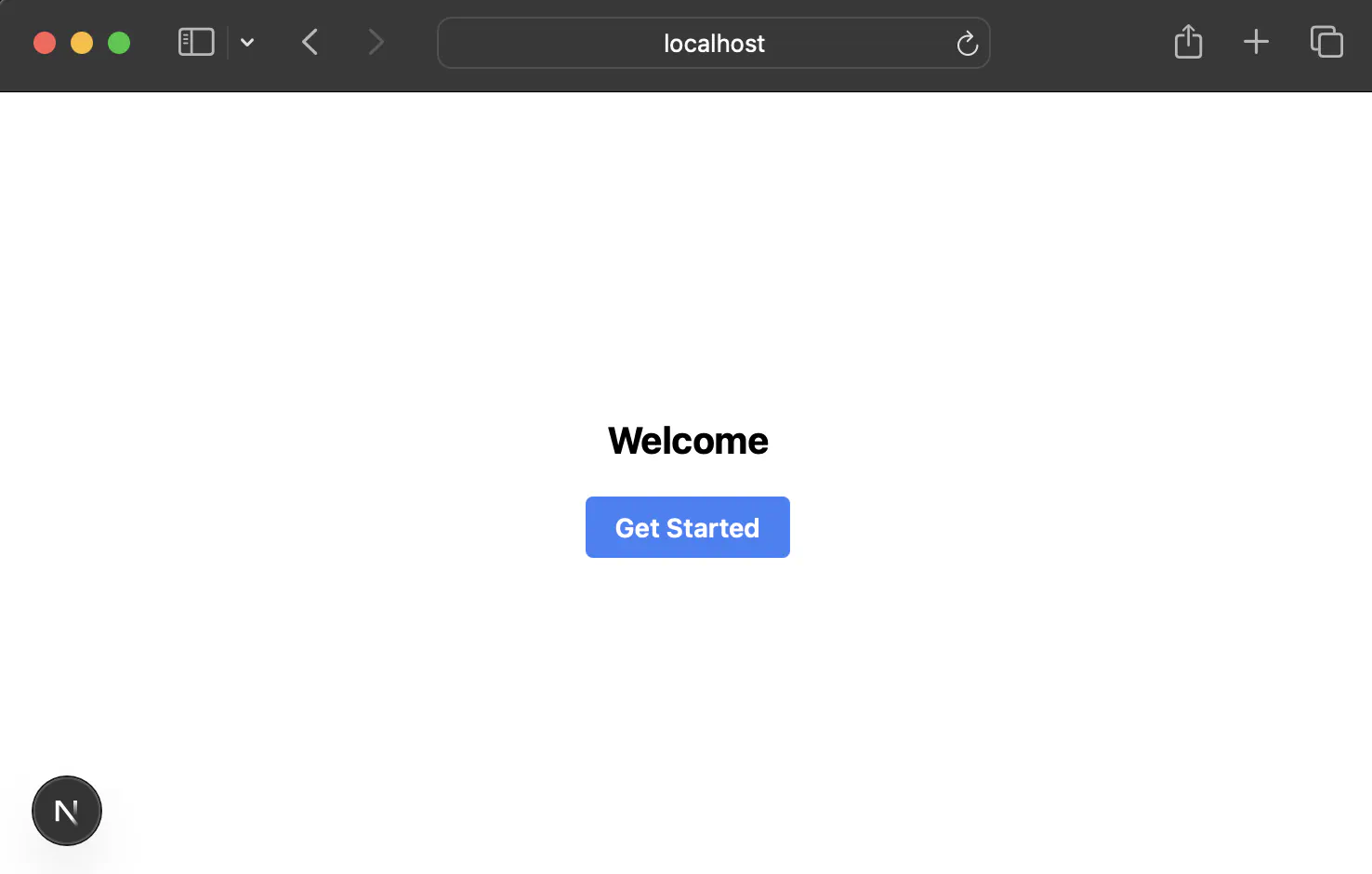
 1// apps/web/src/app/page.tsx
 2"use client"
 3
 4import { View } from "react-native";
 5import { Button, Text } from "ui";
 6
 7export default function Home() {
 8  return (
 9    <View className="flex-1 justify-center items-center h-screen">
10      <Text className="mb-4 text-xl font-bold">Welcome</Text>
11      <Button title="Get Started" />
12    </View>
13  );
14}
Result:
Usage in mobile
Add the UI package to the mobile app:
1// apps/mobile/package.json
2{
3  "dependencies": {
4    "ui": "workspace:*"
5  }
6}
Run pnpm install.
 1// apps/mobile/src/app/index.tsx
 2import { View } from "react-native";
 3import { Button, Text } from "ui";
 4
 5export default function Index() {
 6  return (
 7    <View className="flex-1 justify-center items-center bg-white">
 8      <Text className="mb-4 text-xl font-bold">Welcome</Text>
 9      <Button title="Get Started" />
10    </View>
11  );
12}
Result:

Wrapping up
That covers the core setup. Here’s what you’ve built:
1monorepo/
2├── apps/
3│   ├── web/          # Next.js with react-native-web
4│   └── mobile/       # Expo (React Native)
5├── packages/
6│   └── ui/           # Shared components
7└── turbo.json        # Task orchestration
1turbo dev          # Start both apps
2turbo build        # Build all packages
3turbo typecheck    # Type checking
4turbo lint         # Lint code
The template is meant to be a starting point, so fork it and make it yours. You could add shared packages for utilities or API clients, set up shared ESLint and Prettier configs, wire up CI/CD with GitHub Actions and Turborepo remote caching, or swap NativeWind for something like Tamagui or UniWind. The template also includes a Vite + TanStack Router web app (apps/web-vite) if you prefer something lighter than Next.js.
I built this by learning as I went, piecing together docs, debugging pnpm symlinks, and figuring out which config goes where. This post and the template are my way of sharing what I learned so you can skip the parts that aren’t fun. It’s not a polished product, it’s a head start. If it saves you even an hour of setup, it was worth writing.
If you found this useful, give the repo a star. If something’s broken, open an issue.
You can also follow me on X (formerly Twitter) where I post about other things I’m working on. Speaking of which, check out my games: Hukora, a logic-based puzzle game, and Arithmego, an arithmetic game for the terminal.